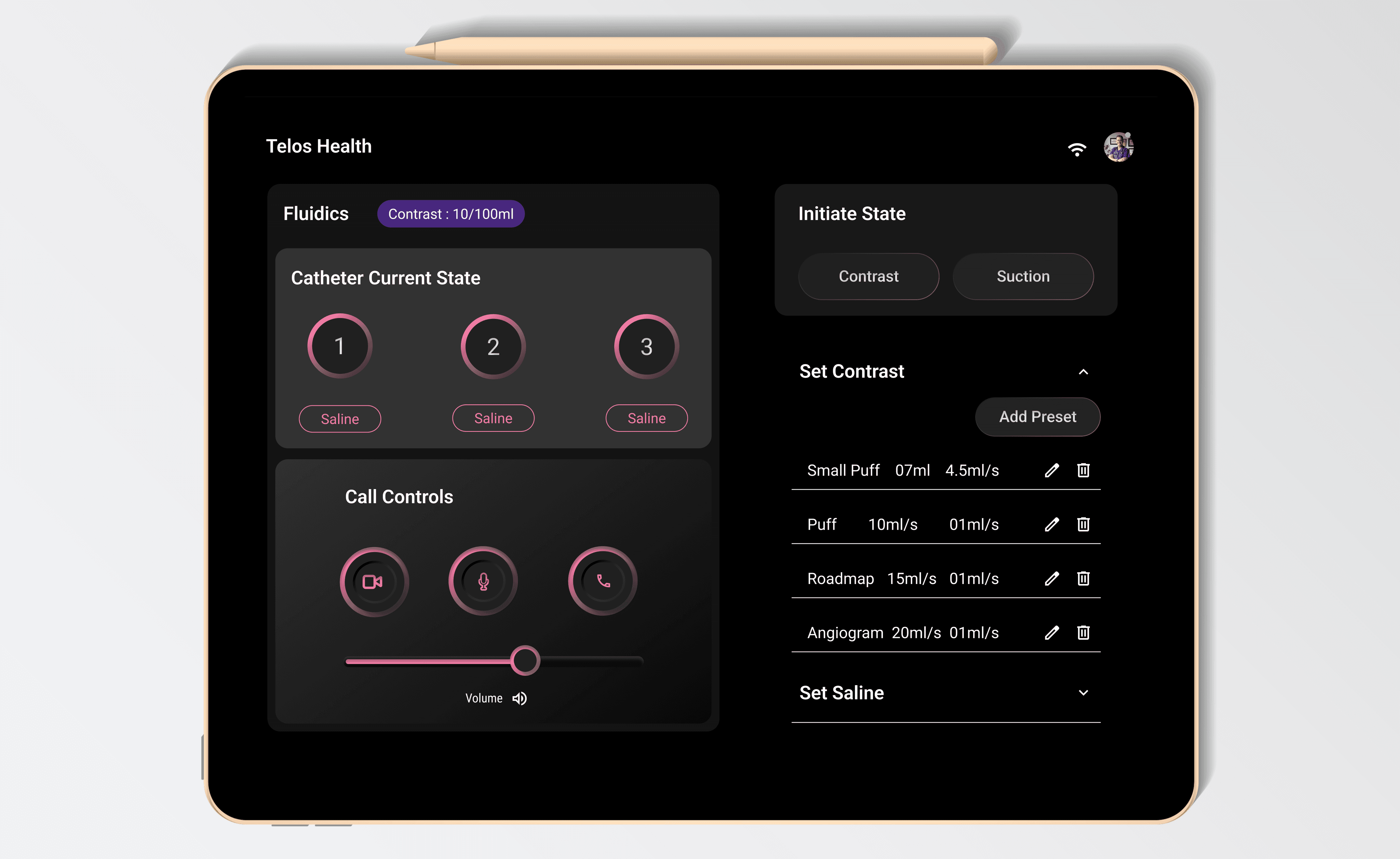
Overview
From Physical to Digital: Designing Interfaces for Telerobotic Stroke Procedures
UX Researcher | UX Designer | Prototyper
When I joined Telos Health in May 2023, it was an emerging medical device company focused on developing remote robotic procedures for ischemic strokes. One of my key projects involved exploring the settings features to calibrate fluid adjustments for the new robotic stroke procedure. Our aim was to align with the mental models of physicians performing this innovative procedure. Usability tests showed that physicians tend to be visual learners.
Early Study - Short Project
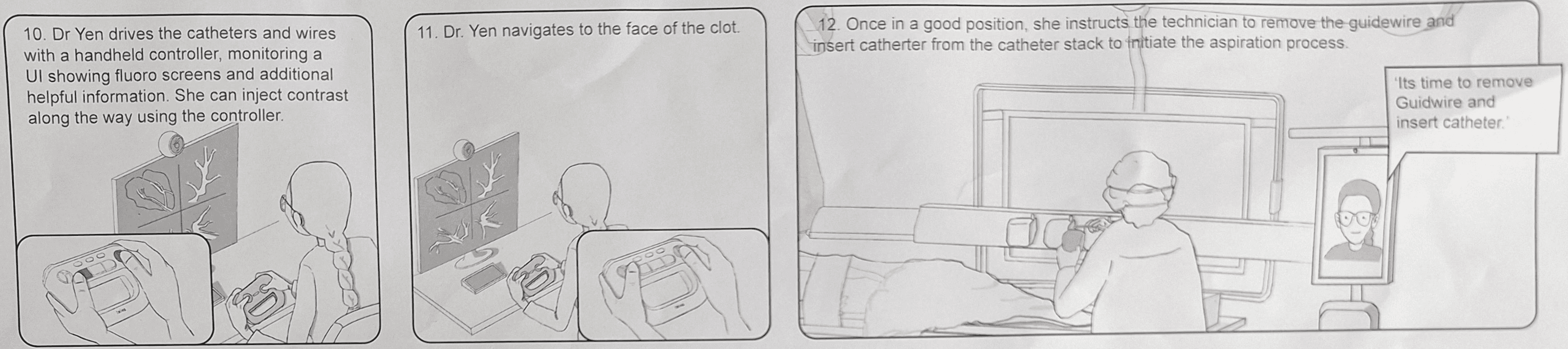
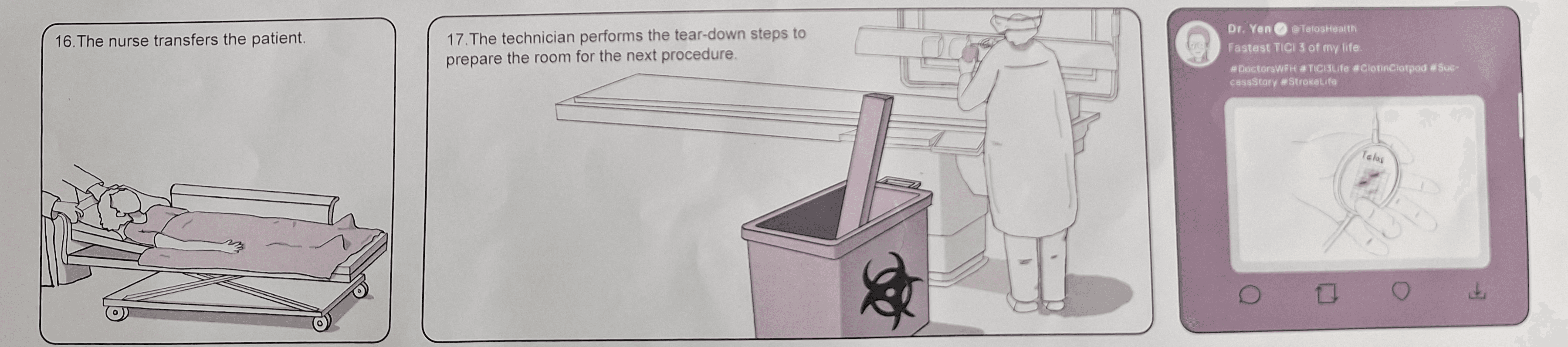
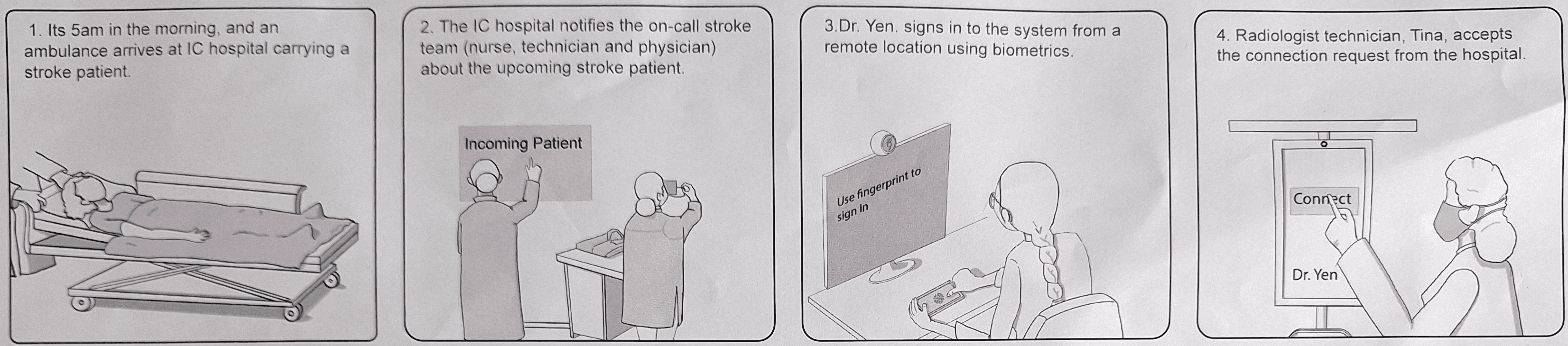
Observed live stroke procedure and created storyboard
I was tasked to watch the live stroke procedure to learn how physicians and technicians coordinate and translated it into a storyboard that reflected the product journey based on my observations and team collaboration.
Problem
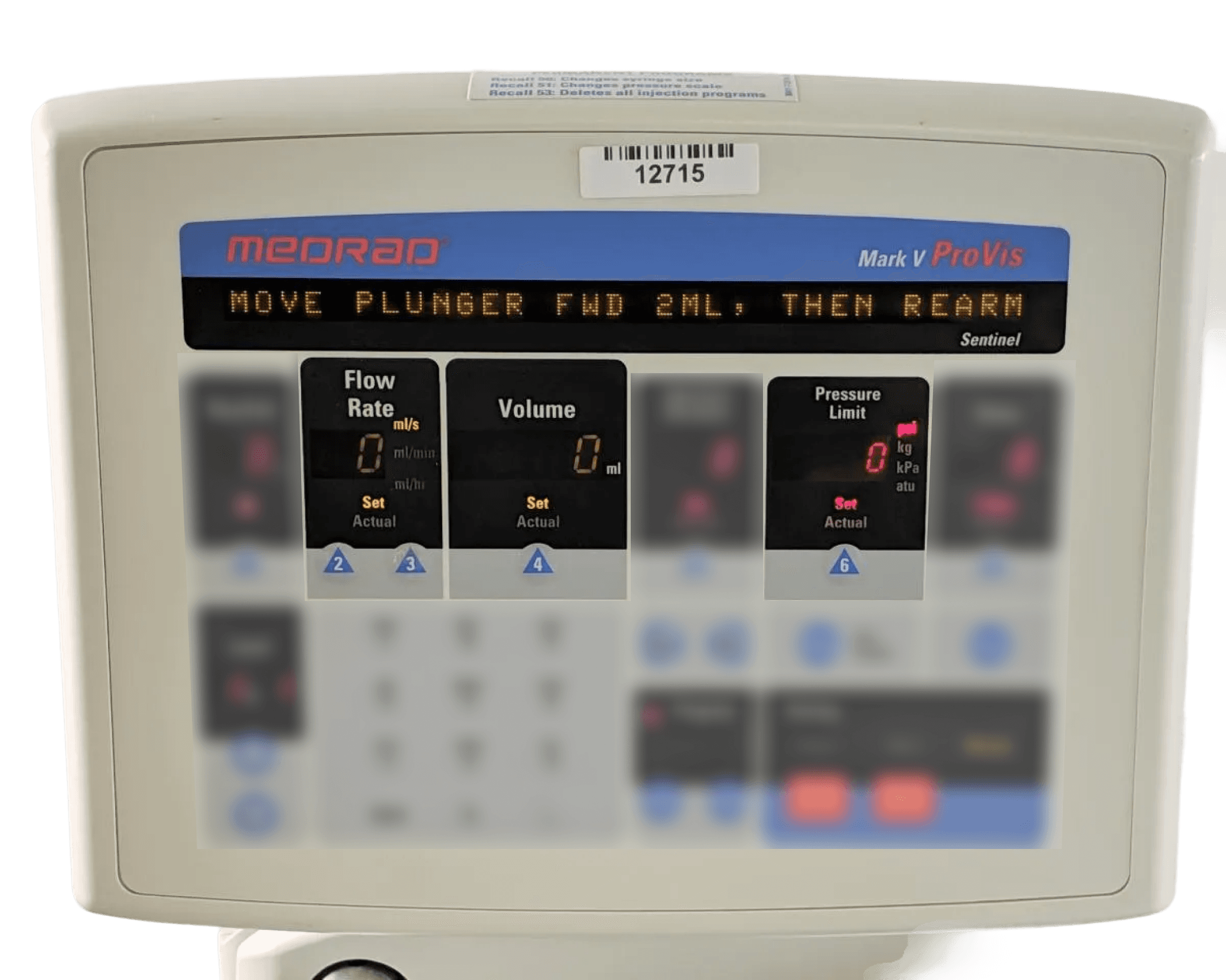
Ischemic stroke treatment involves multiple device interactions, including a fluid control settings machine. The challenge was understanding the required features for the robotic procedure and implementing them effectively.
I learnt that the most crucial settings that would be needed for the robotic treatment were just 4:
Contrast (fluid)
Flow Rate
Volume
Pressure Limit
Saline (fluid)
Flow rate
Opportunity - Discovery
How might we optimize the current fluidics settings features to streamline the robotic stroke treatment?
Step 1: Develop prototypes for Usability Testing
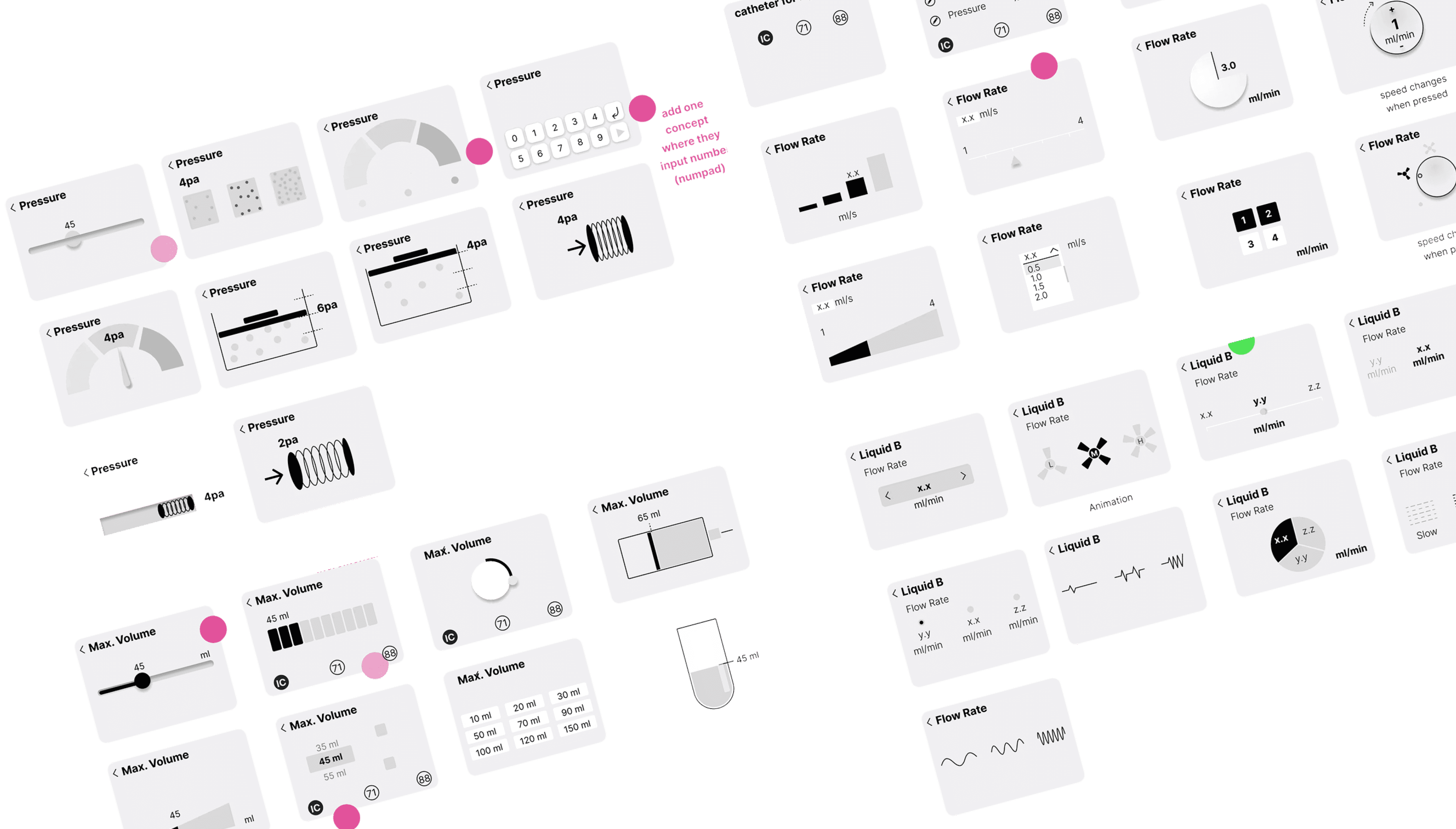
The aim was to validate the effectiveness and utility of four features through interactive prototypes tested by physicians.
1.
Ideation for diverse interactions
The goal was to brainstorm varied interactions for particular wireframe.
2.
Precision in setting the particular features.
We wanted to learn what settings needed more precision and upto what limits.
Step 2: Conduct Usability Test
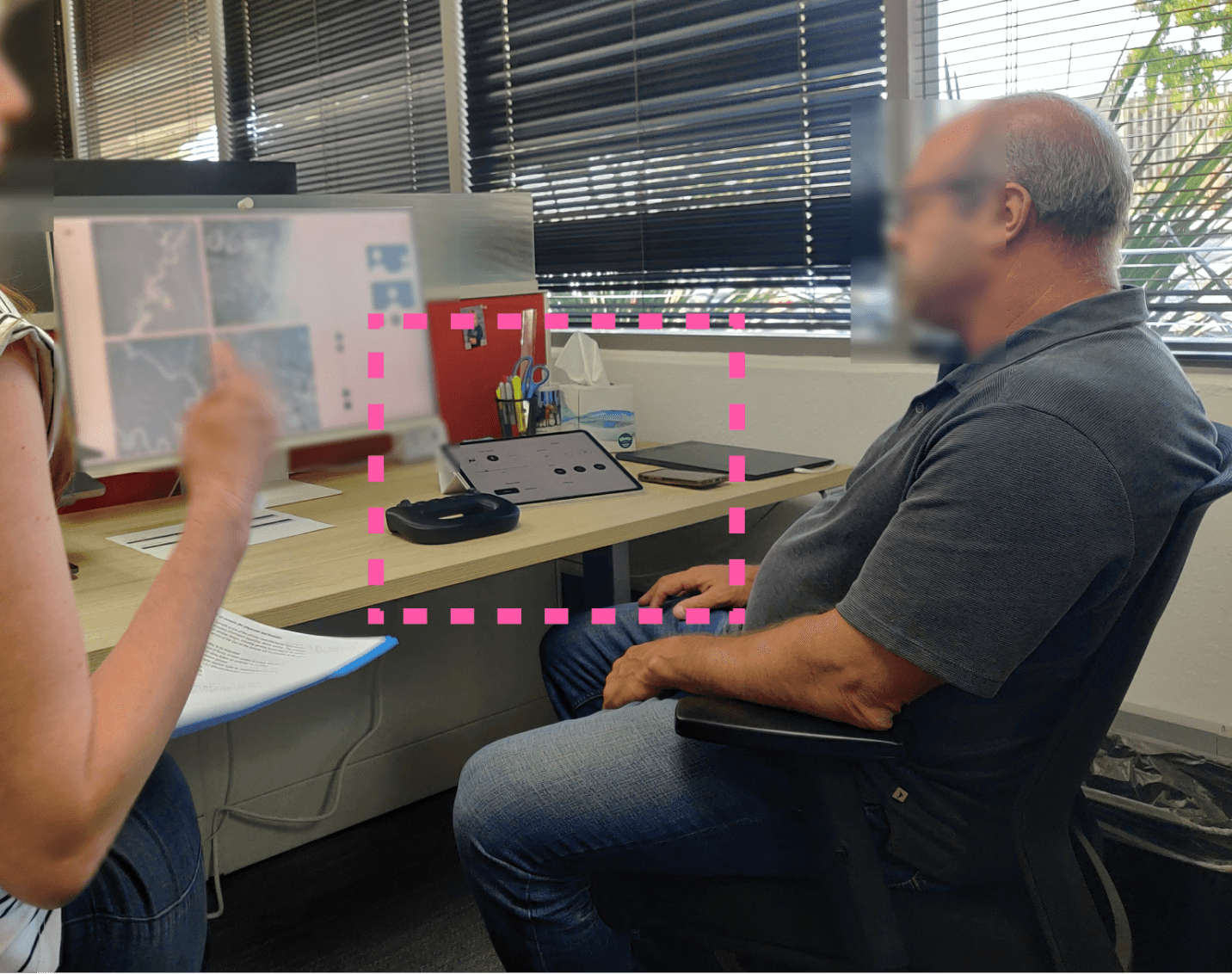
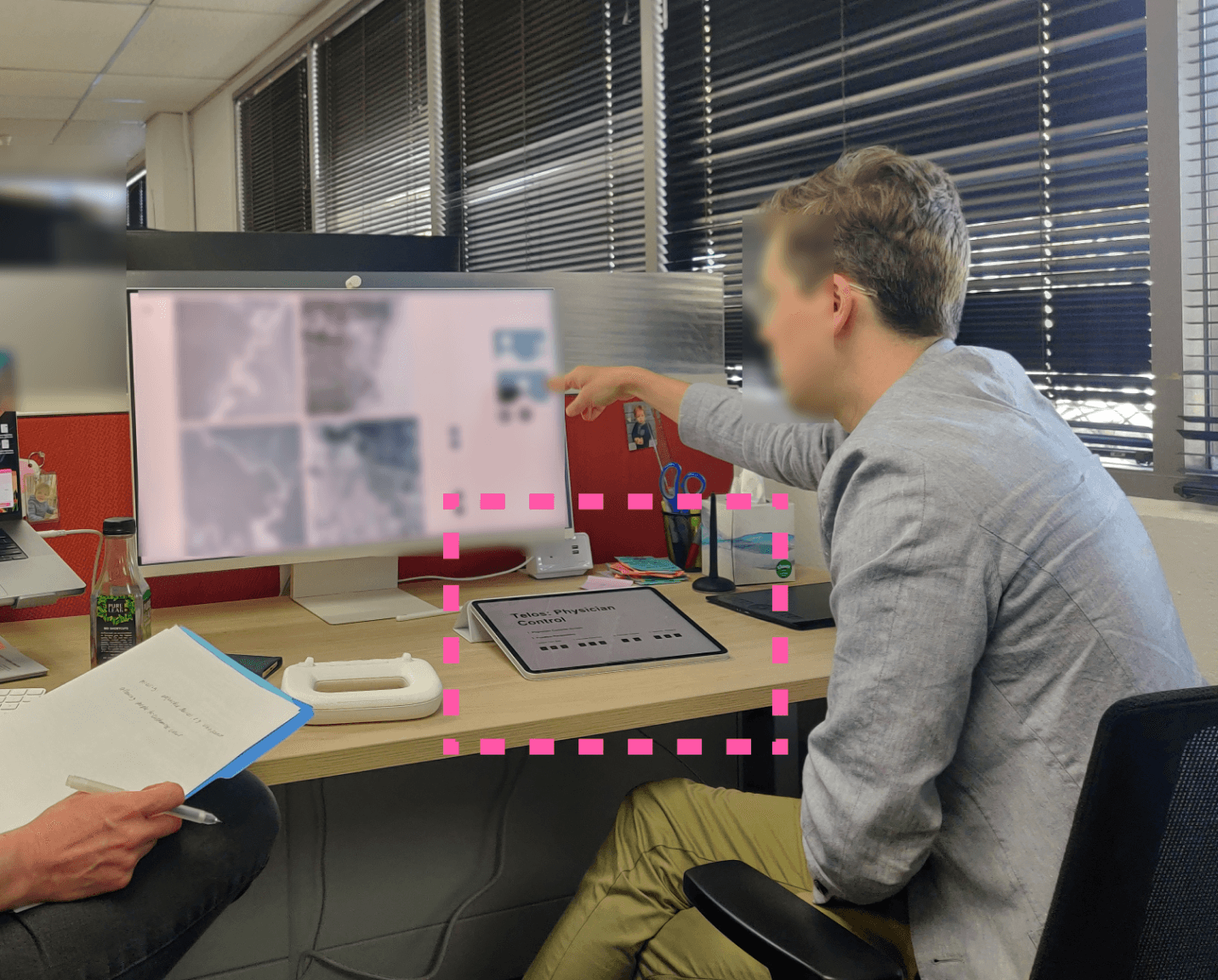
We conducted task-based usability testing with physicians.
The UI was intentionally side-positioned to mirror a hidden settings menu with pop-up functionality, and kept monochrome to avoid color bias.
Step 3: Insights
The usability test confirmed following 4 design decisions:
Pressure control is a low-frequency interaction, and PSI is not an intuitive unit for physicians, indicating an opportunity to simplify or deprioritize this control in the UI.
While conducting usability test with both the physicians, they mentioned that they arent familiar with PSI unit and mentioned that Tech does it for them.
Result: The team decided to automate the pressure hence eliminating it as a settings feature.
1
2
4
3
Pressure
0
1
2
3
4
5
6
7
8
9
.
Pressure
psi
X
Set
The physicians recommended merging the volume and flow rate of contrast into a single measurement, referred to as ml/s.
We learned that contrast delivery relies on both volume and flow rate, which are adjusted together. Physicians set the contrast volume (e.g., 5 ml) and speed, while flow rate is constrained by catheter size and release location; making a combined control more intuitive.
Results: We combined the flow rate and the volume to ease the experience and added 4 presets.
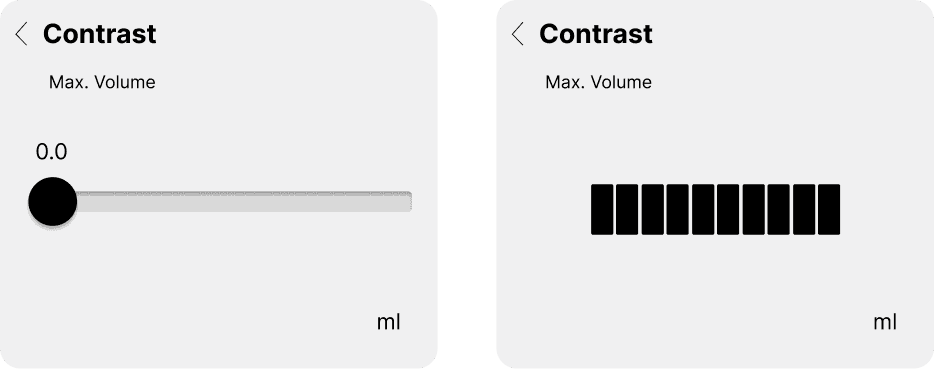
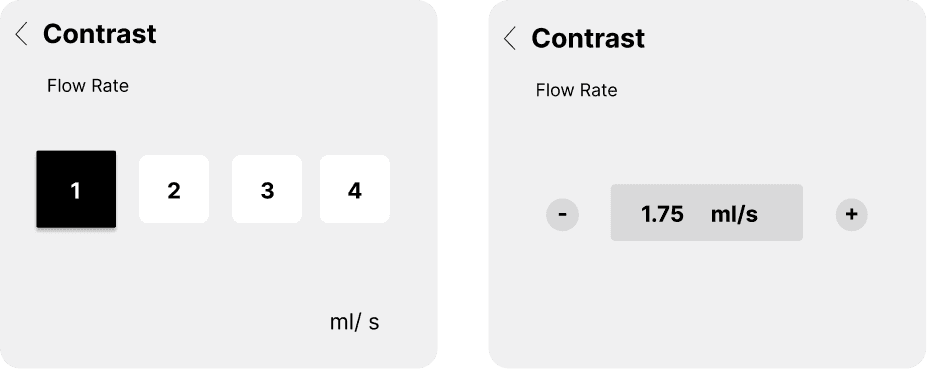
Physician are visual learners. “My slow should be same as your slow while adjusting the flow rate.”
We learnt that, today, the physicians are visually adjusting the flow rate of the Saline. Hence when we showed them the interactive wireframe; they wanted to know what slow really meant when it came to adjustment.
Results: Created a UI that visually depicts the flow rate, however physicians demanded command over adjusting the settings.
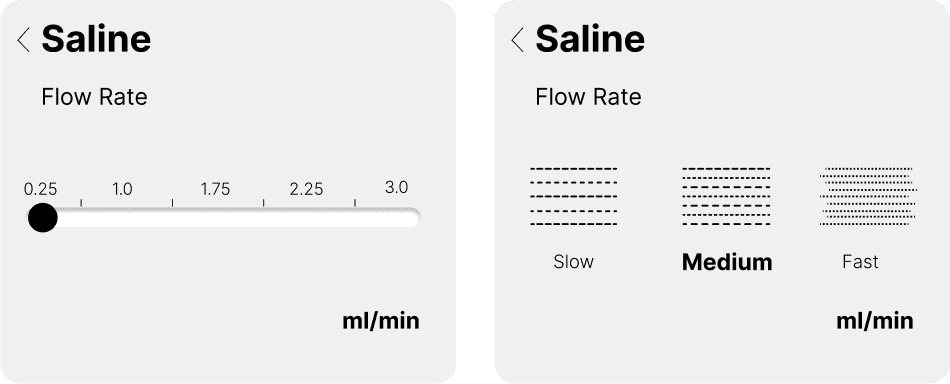
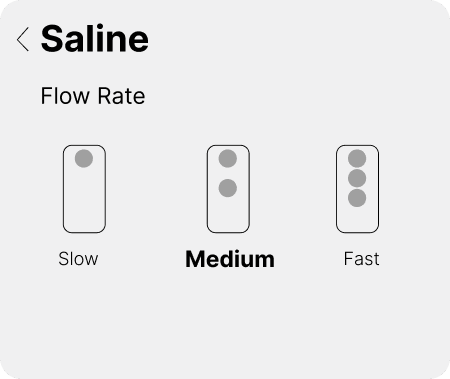
The physicians mentioned flow rate, and volume are useful features.
Both the physicians like the slider interactions for all the features. However, they mentioned that a preset value for contrast flow rate would be preferred and button interactions would be ideal.
Evolution
I designed multiple concept for the interactive controller and initiated the visual design for the product.
I created multiple options for the visual language and brainstormed interactions for setting the fluids.
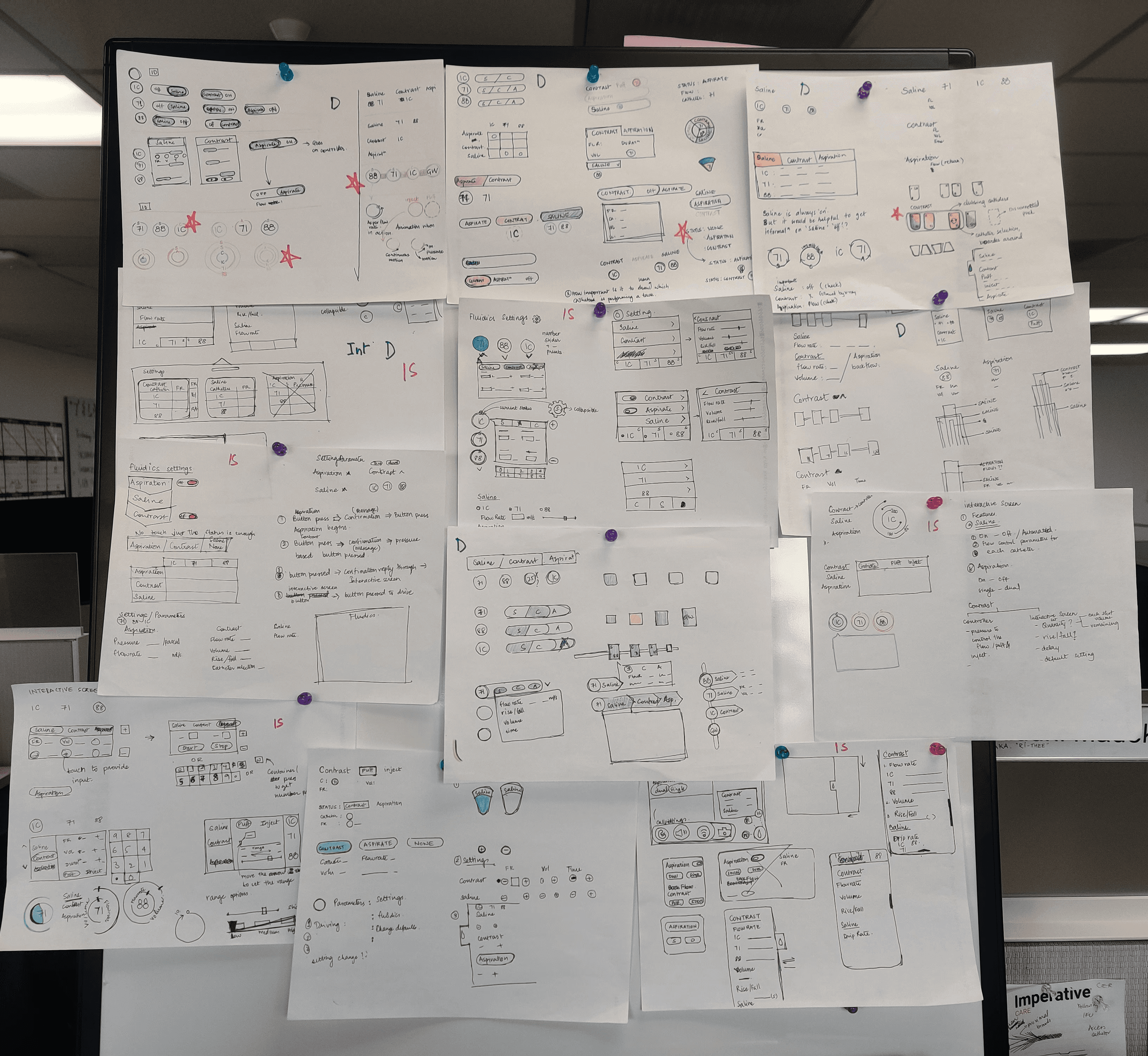

Bringing it all together.
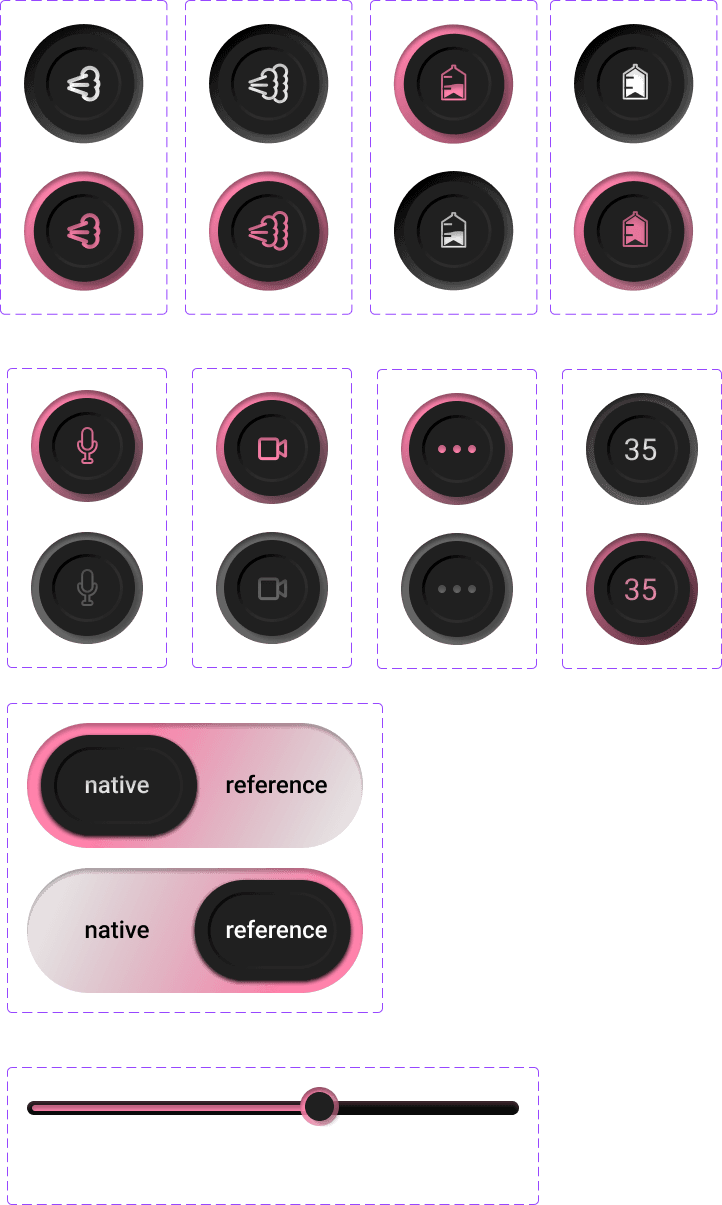
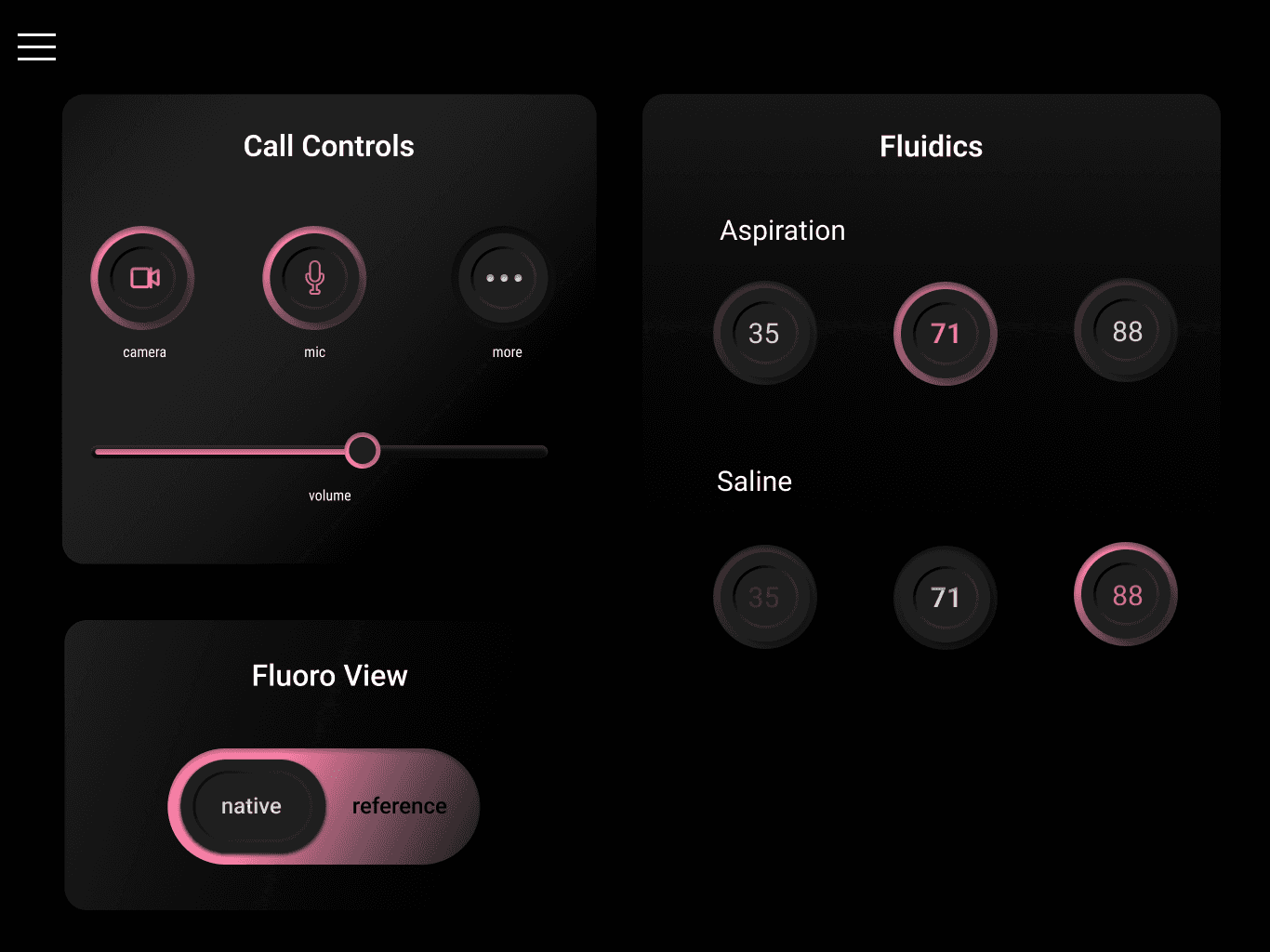
Went with physical button texture to bridge the current and tactile controllers.
Navigation
Created by Riddhi Madeka 2026 | All rights reserved