Design
Designing the ‘Add Item’ and Bin Selection Interactions.
The design reveals design decisions taken in consideration to team resources, timelines and changing business goals.
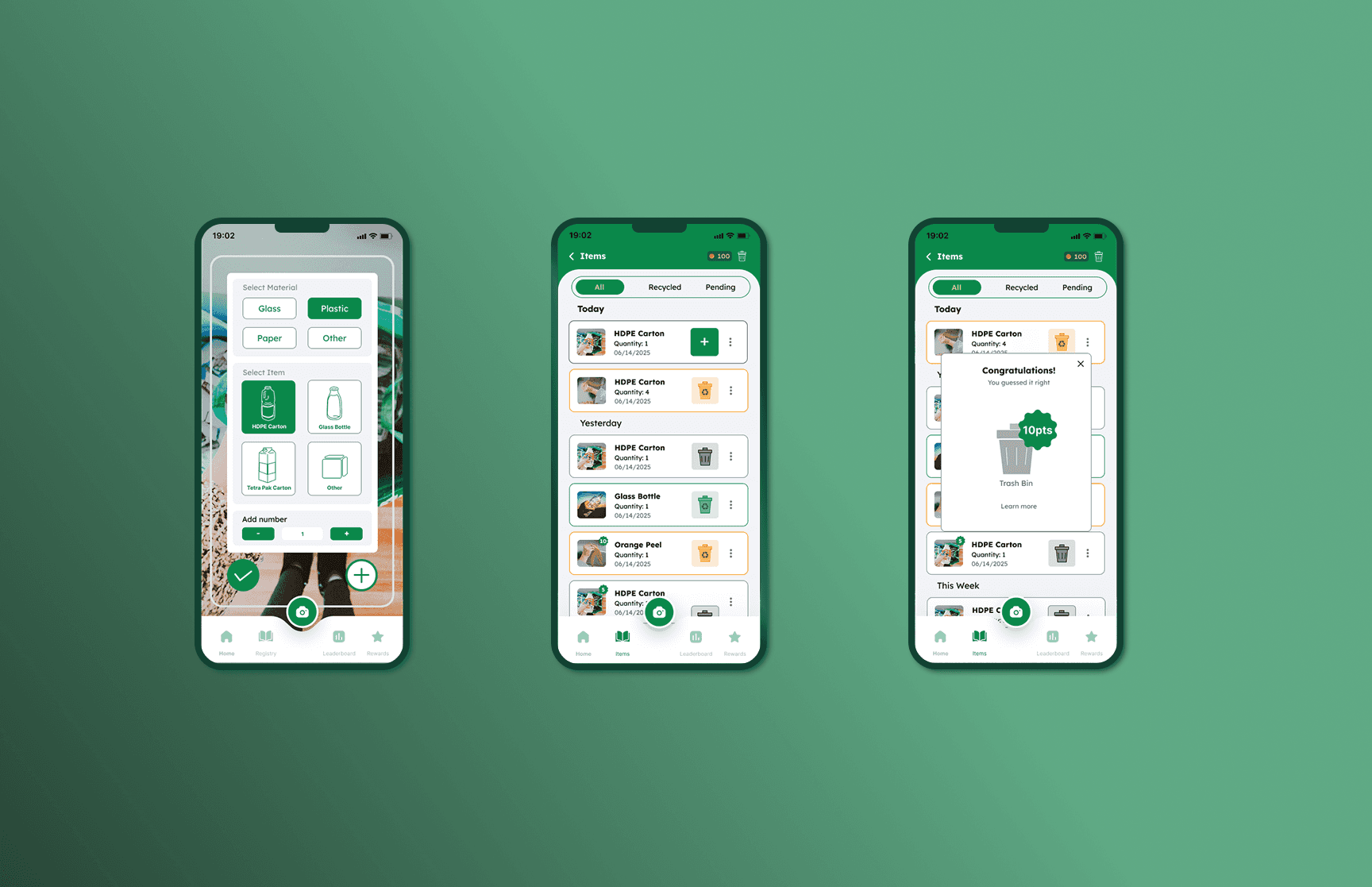
Step 1: Add Items
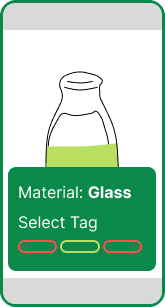
Material Selection: Choose 1 of 3 or Add 'Other'
Due to limited AI accuracy, we now show the top 3 predictions instead of just one.
Addressing Cultural Nuances in UX Labels
UX research revealed that users particularly international students interpreted labels differently, leading to confusion. To address this, we integrated visuals with text to improve clarity and reduce misinterpretation.
Multiple photos + Item Quantity
Ability to upload multiple photos at once, with support for entering item quantities.
This will help train our image processing model.
Step 2: Item Saving
Item Status – Saving Items
This page enables collectors to gather their items within the app and take action on them all at once. It also provides guidance for disposing of each specific item properly.
Step 3: Eco-Education + Reward
Recycle, Compost and Trash.
To enhance eco-education on waste disposal, the team added Compost alongside Recycling options.
The swiping interaction mimics the real world trash disposal.
Research Need
43% drop in retention rate led to conducting UX Research of the product.
After noticing a drop in retention after a year, the CEO initiated a user survey that revealed several issues; one being the lack of reminders to use the app, which was quickly addressed with push notifications. I was then brought in to conduct user research to uncover deeper usability issues.
10
Usability Tests
3
Interviews
30+
Survey Analysis
500+
Behavioral Data
Opportunity
How might we enhance the item submission experience of recycling app by educating users on what to recycle?
The team shifted the business focus from simply encouraging recycling to educating users about recycling. As a result, users began earning points for learning, not just recycling—rewarding the behavior, not just the action.
04. 78% users mentioned that they were frustrated when app did not show correct material prediction.
The survey and user interviews suggested that users were frustrated with item submission on the app. Technical and usability pain points surfaced.
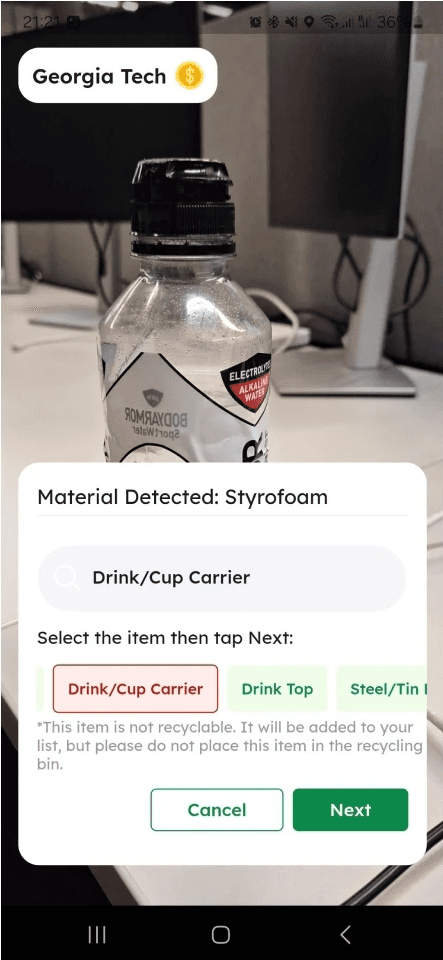
1. AI Material Prediction: User couldn't change predicted material. Often inaccurate predictions.
First-time users were unaware that green indicated recyclable items and red indicated non-recyclable ones.
"I hope that I can find the item on here because sometimes I can’t seem to find it in the search bar so I have to pick some label similar to it."
"I want to make sure that I label the item correctly so I can get points!"
Users wanted to learn why an Item is not recyclable.
"I wish whatever was redded out offered with an explanation."
2. Labels: The labels had random names which users were forced to pick.
Single submission was annoying
The user could submit one item at a time and had to repeat the process all over again.
"Please make it possible to submit multiple photos under a single tag rather than having to take a picture and tag every one."
02. Two types of 'Pre-Recycling' behaviors observed while using app.
Data analysis and user interviews revealed two pre-recycling behavioral patterns. Users expected a faster review process to confirm recyclability and questioned whether the points were worth the effort or could be increased.

The Collector
I collect the items that needs to be recycles. I dedicate the time to add the item to the app and recycle all at once.
Pain Point - It is tough to visit the location with all the items to recycle.

The On-The-Go
After having a meal, I look for items that I can recycle on the go.
Pain Point - I have to plan my route to submit recyclables to the mentioned recycling station.
UX Research
01. Discovered misalignment in product journey and users’ mental models.
During usability testing, first-time users expressed confusion after submitting an item, questioning the next steps, verification of recycling, required visits to stations, and the timeline for earning points.
Clicks
Enter Details
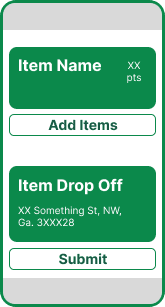
Points + Location
Ben - New User
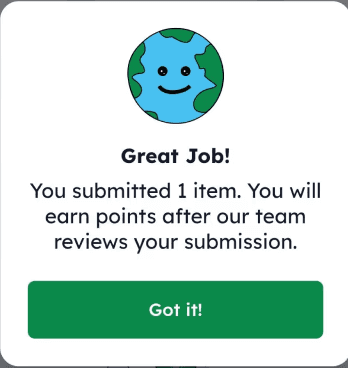
Submission under Review
10 pts

Points are awarded

Ben is confused:
Should Ben wait to recycle after the review?
How will ecgo know that I recycled the item?

03. Incentivizing users for their positive actions to boost recycling.
Users are not just interested in recycling, they want to understand why certain items aren’t recyclable. The current reward system focuses only on photo submissions, missing the opportunity to educate. Shifting toward rewarding learning can better motivate sustainable behavior.
New Reward Experience:
Rewards for getting eco-education.
Anna
Clicks
Enter Details
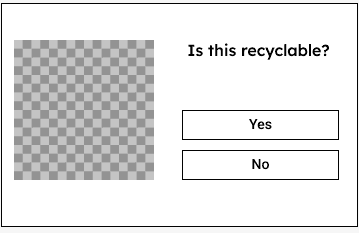
Learn(Guess) if the item is recyclable or not
10 pts
Points are awarded
Rewards for Recycling behavior.
Anna
10 pts
Points are awarded


Recycle
Current User Journey
How does Ecgo help students recycle?

The student downloads the app
Clicks the picture of the items they want to recycle
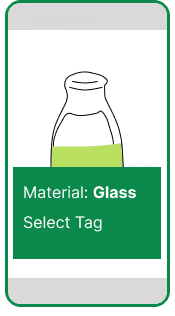
The item material is auto-filled, and the student selects relevant tags.
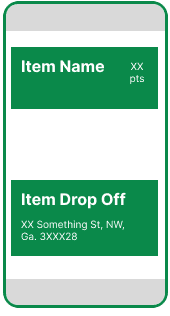
Earns points and learns about nearby recycling station to drop the item
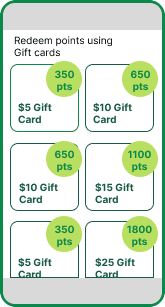
The student redeems points using gift cards.
Redesigning the Recycling Flow.
Research/User Testing/ UX/UI Design
Ecgo, a recycling app with a clean interface, was facing an engagement problem. Despite its sleek design, the app had only 43% user retention over the past year. I joined the team to investigate why users weren’t sticking around and what we could do to create a more meaningful experience. This case study focuses on a key part of the Ecgo journey:
Adding an item to the app
Learning whether it’s recyclable
Earning rewards for positive sustainable actions
Ideation
Quick UI wireframes were created to test with internal stakeholders to understand feature viability.
The ideas were brainstormed and quick concepts were created to test out with internal stakeholders. Given that we had limited resources (capability, funds and finance) in the team decisions were made accordingly. The feature marked with a 'star' is chose to develop further.
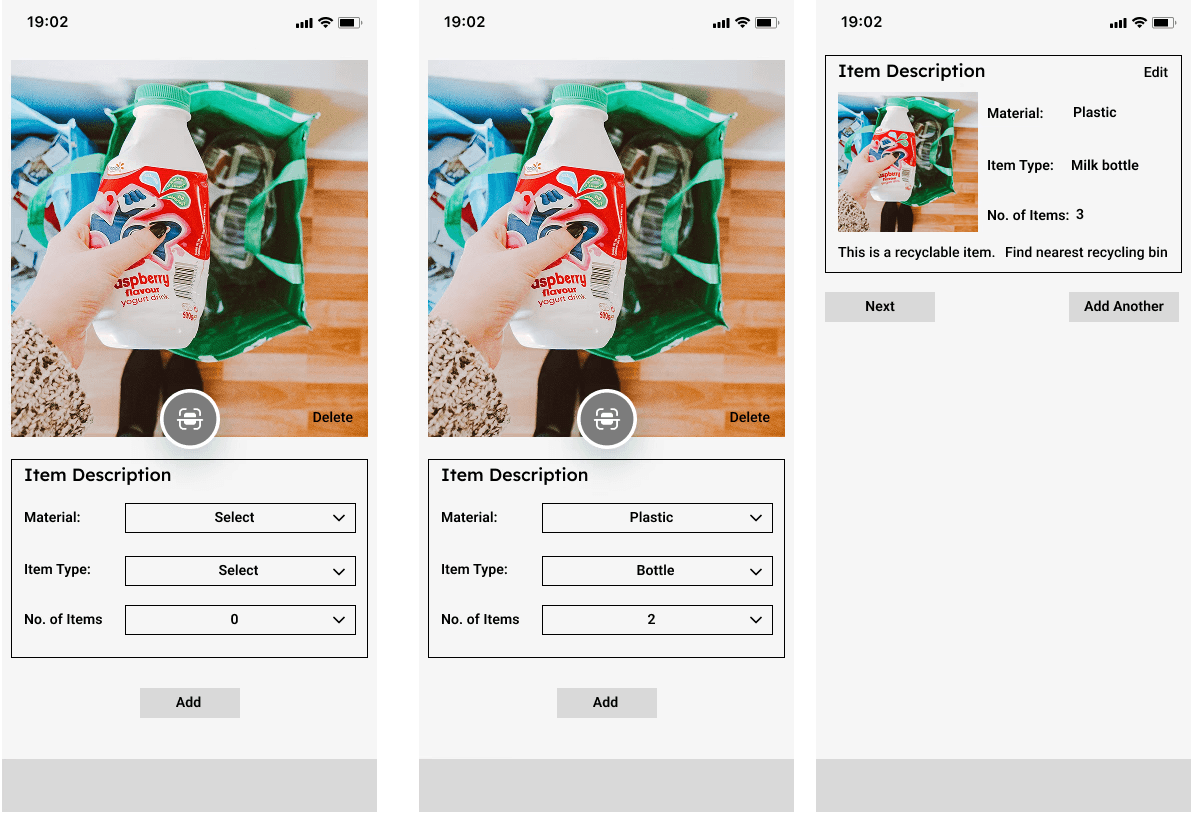
Adding the capability to add item quantity in the image to speed up the submission process.
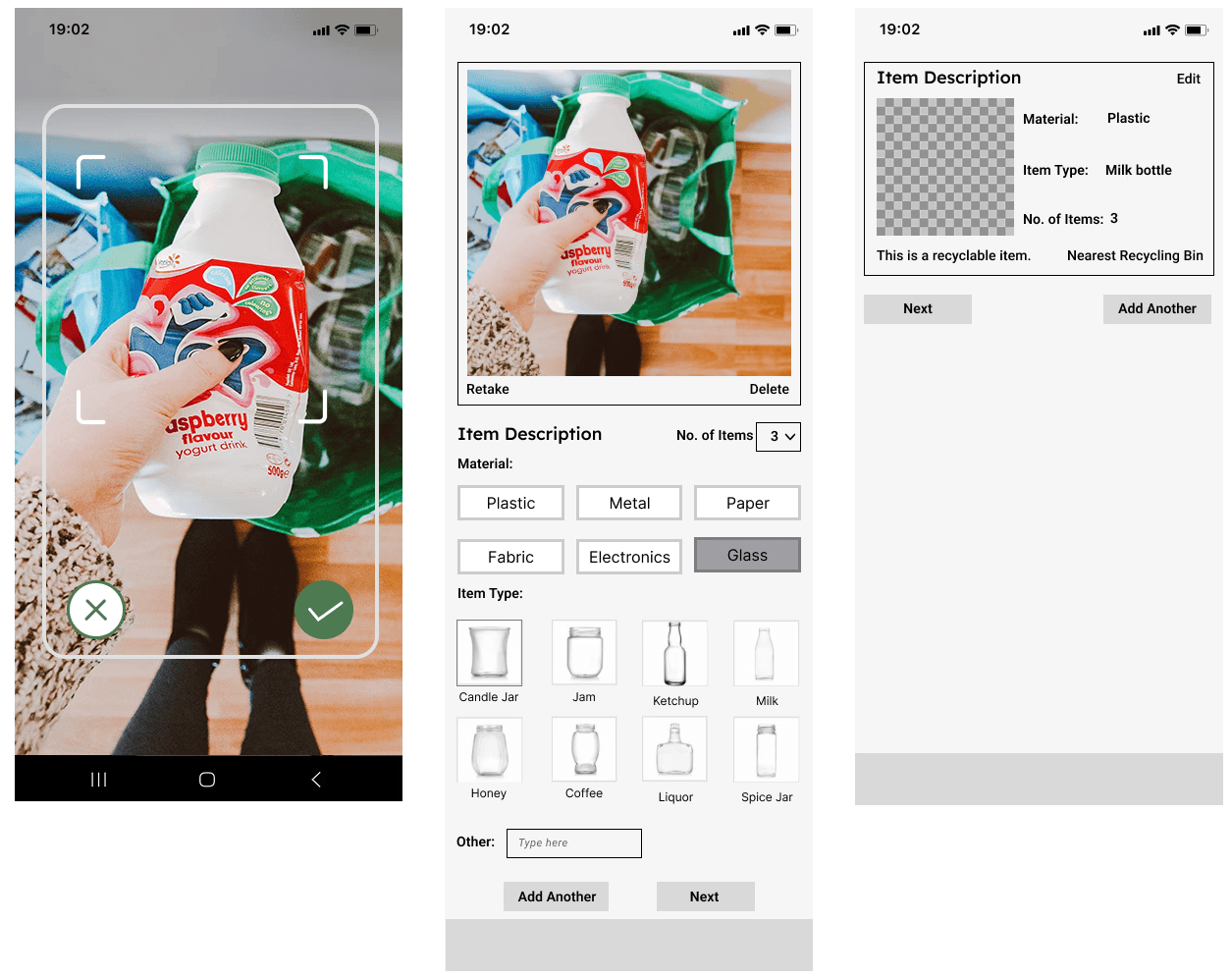
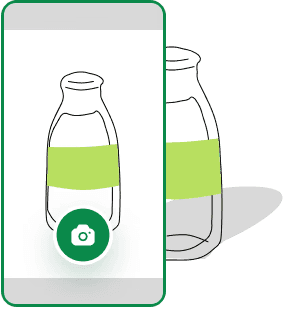
The UX Research had informed that users found it difficult to find the relevant label so tried graphics instead.
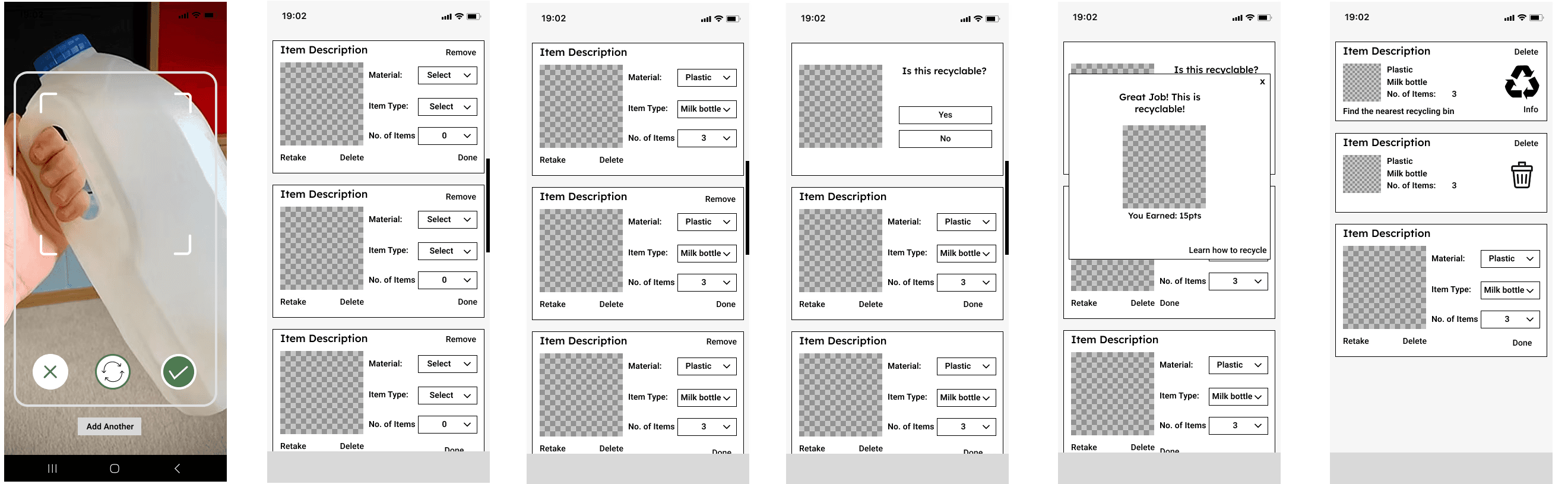
Changing the photo input to adding multiple photos in one session. Updating inputs for all items at once.
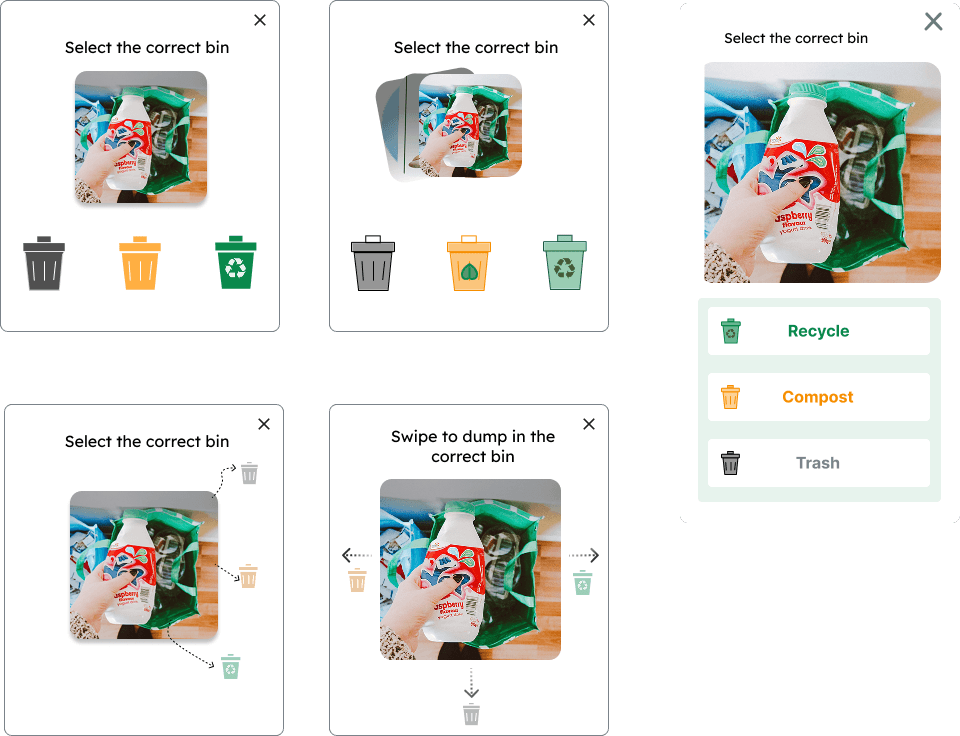
Interactions for 'Adding item to the Right Bin'.
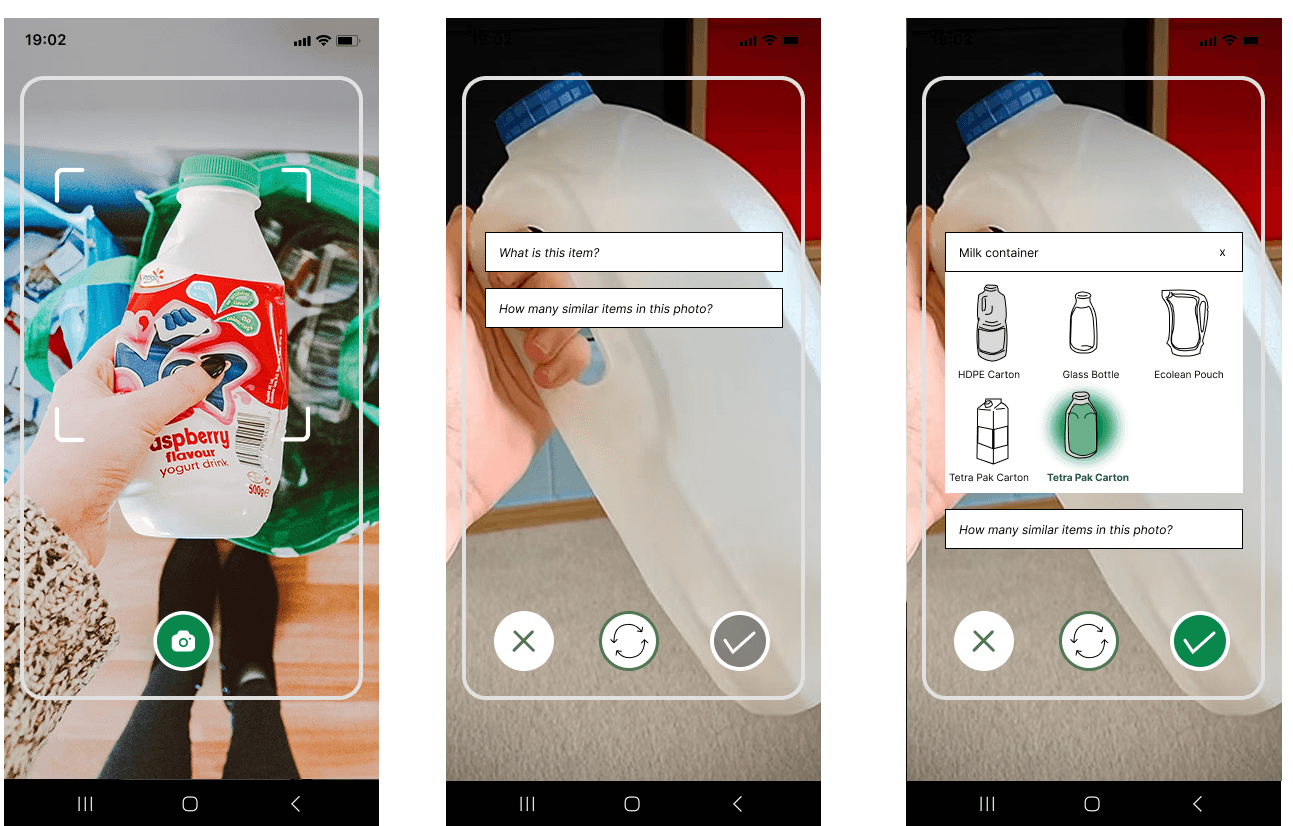
Adding AI generative to search items. Material input through text. The result generates relevant items to pick from.
Created by Riddhi Madeka 2026 | All rights reserved